
Posted on 2017-09-09
Although academic journals in Indonesia have been required to transition to online systems, particularly the Open Journal Systems (OJS), for nearly the past two years, many authors are still not yet familiar with submitting manuscripts through OJS. For those who wish to submit a manuscript to INKLUSI: Journal of Disability Studies, we provide the following step-by-step submission guidelines.
***
All authors using an OJS-based journal management system are required to be registered. Therefore, the first step is, of course, to create an account (register). Click the Register menu at the top of the page (see Figure 1).
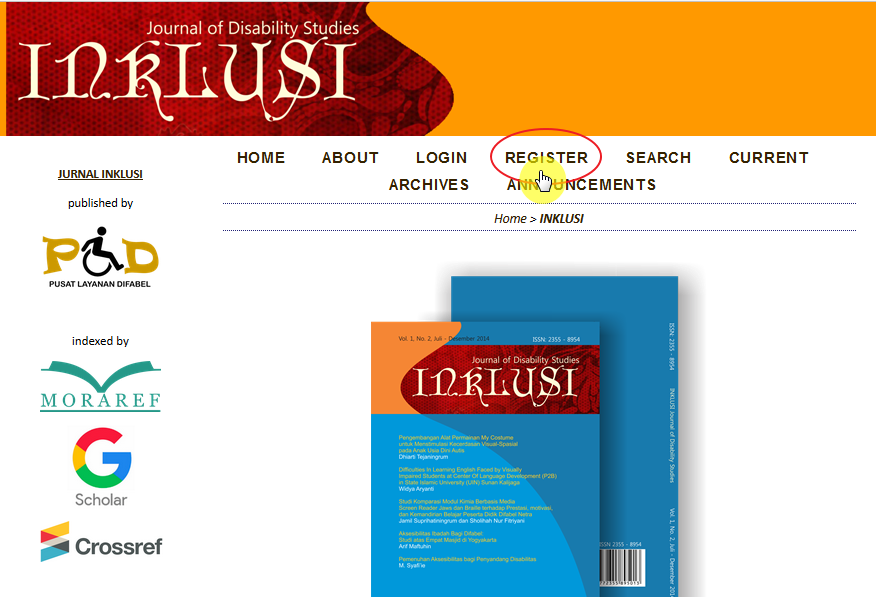
Figure 1
Click Register, and you will then be asked to complete a form. Please fill in all fields, especially those marked with an asterisk (*).
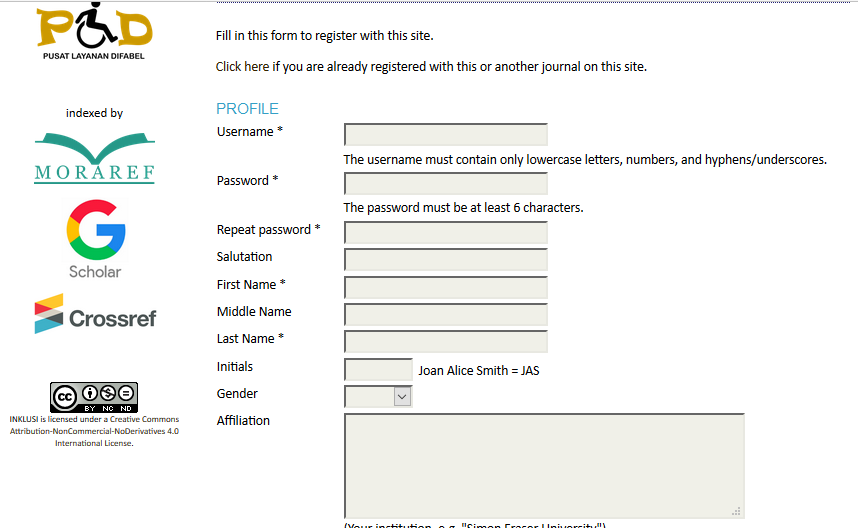
Figure 2
Check all the available checkboxes, then click “Register.”

You will receive a verification link via the email address you registered earlier. Click the link, and you will be redirected back to the homepage.
(If you experience any difficulties during the registration process or do not receive the verification email, you may contact the journal administrators using the available contact information or email INKLUSI: Journal of Disability Studies at inklusi@uin-suka.ac.id.)
After returning to the homepage, you can log in using the username and password you registered earlier. If you log in successfully, the following interface will appear:
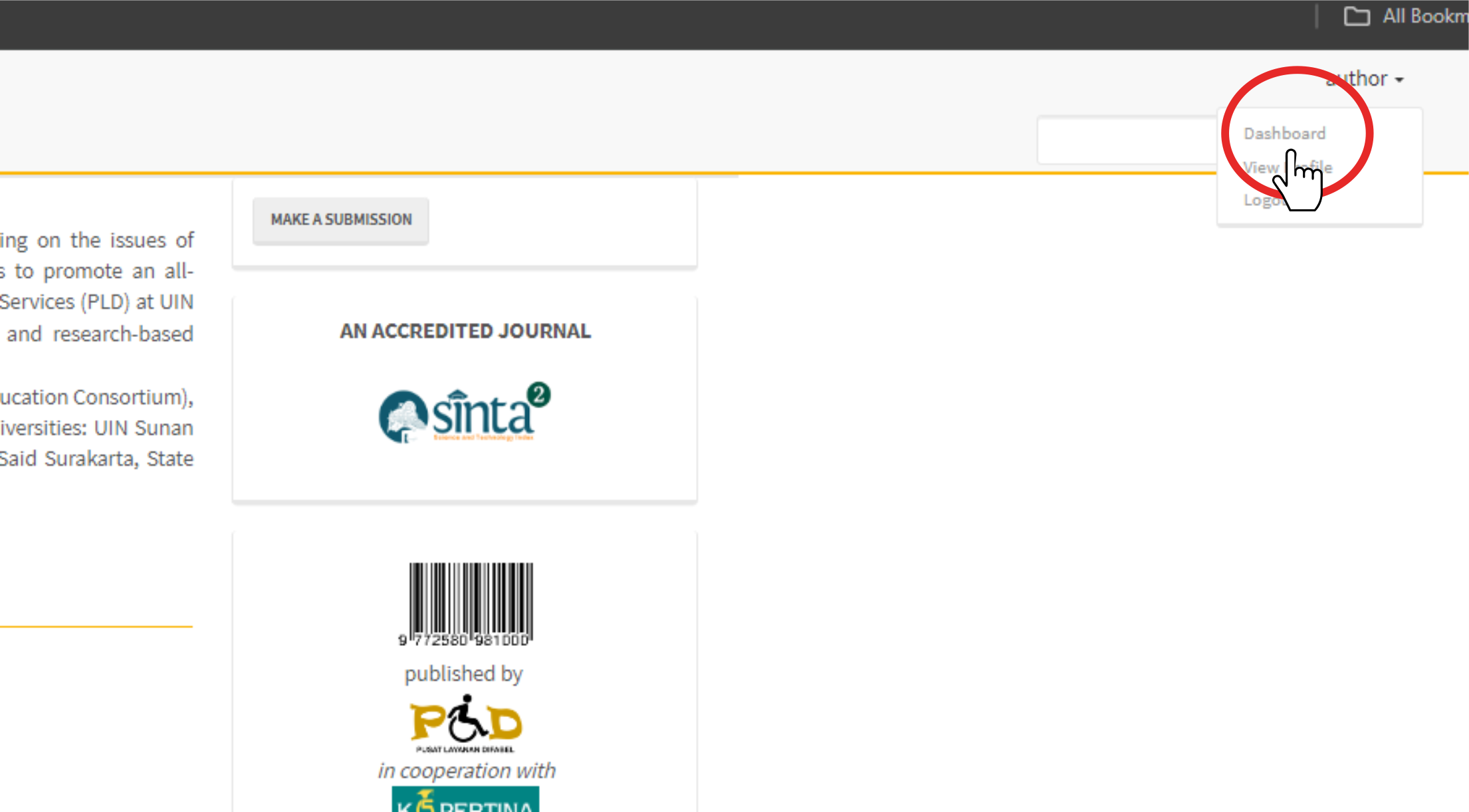
Figure 3
Click the “Dashboard” menu in the top-right corner of the INKLUSI journal page to submit a manuscript. Your profile page will appear; then click “Back to New Submission” located in the top-left corner of the page.
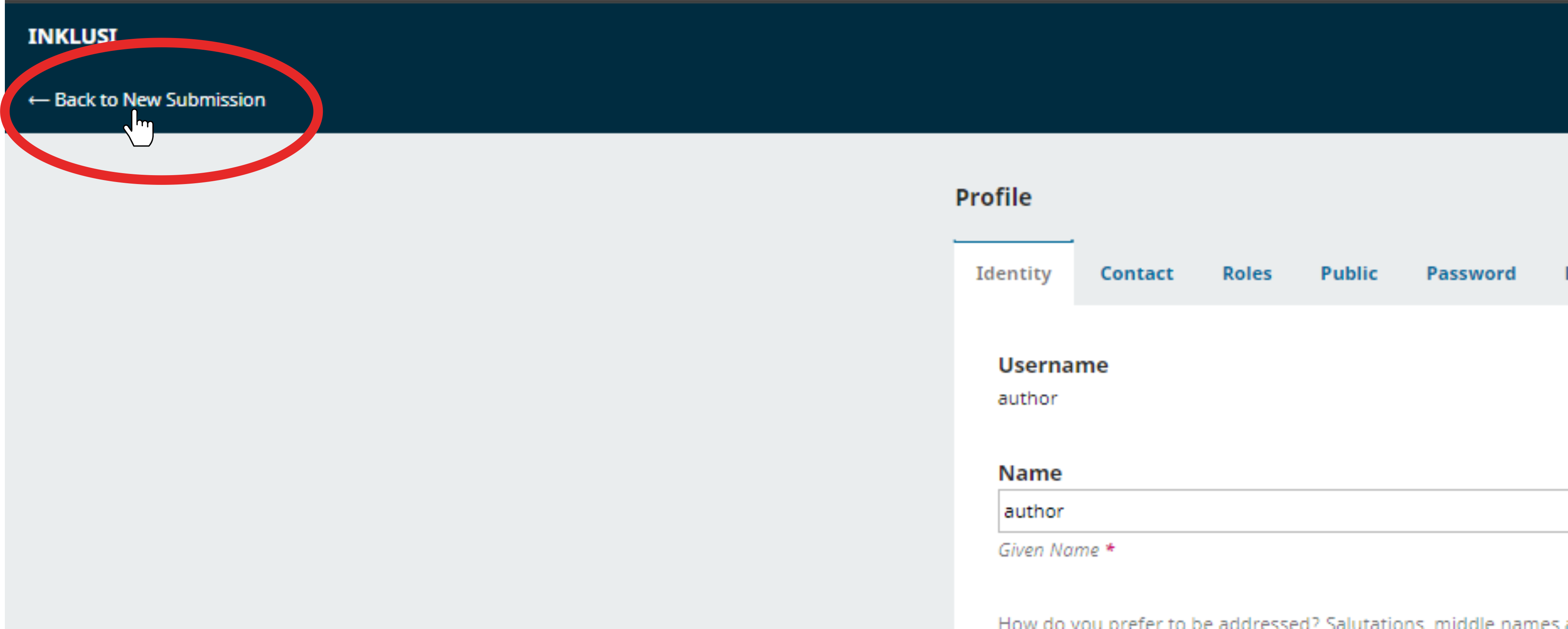
Next, please refer to the following image:
This is the first of five pages you will go through. It contains a checklist.

Make sure you complete all the checkboxes available on this page in order to be able to submit your manuscript.
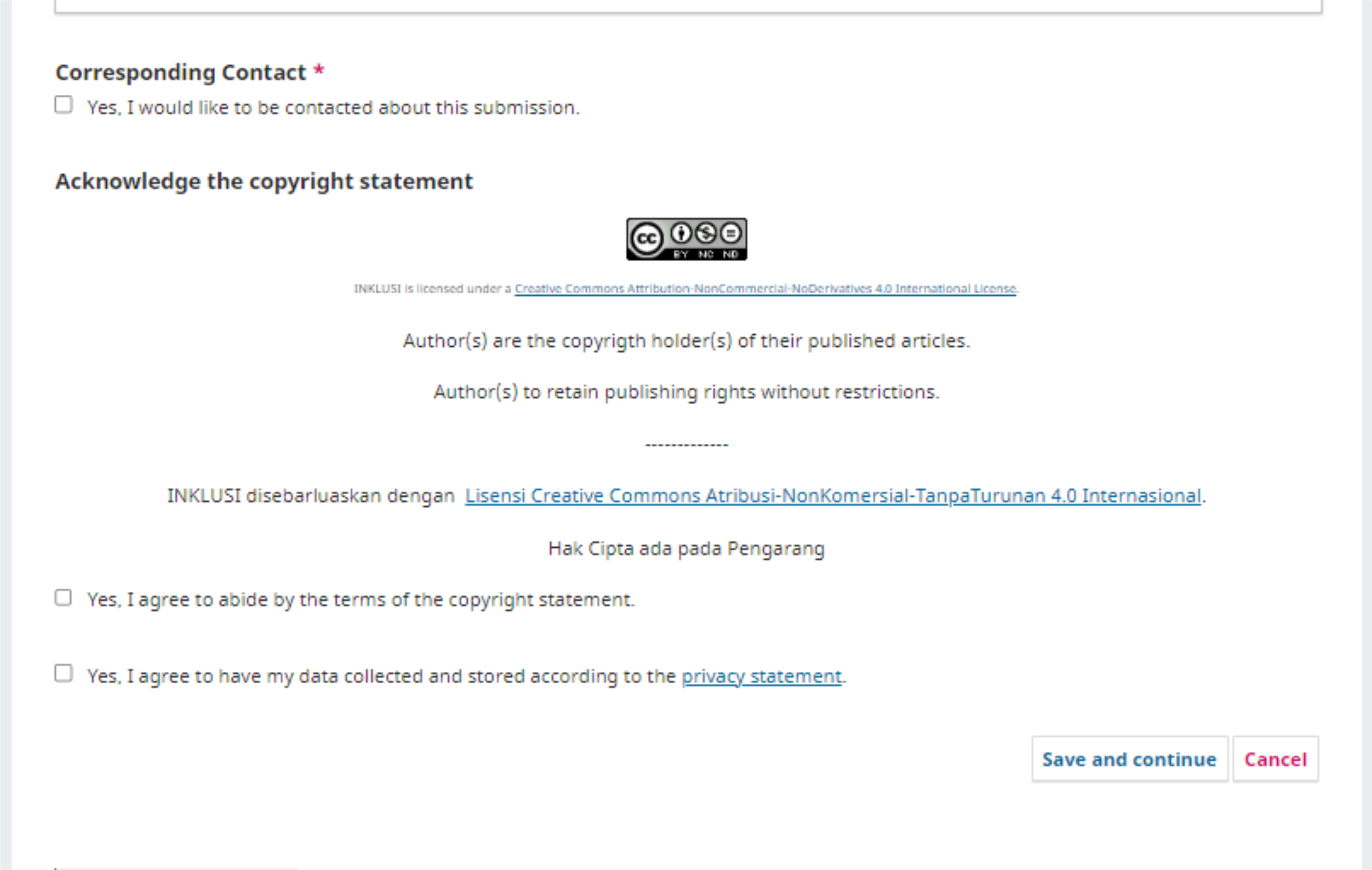
After that, click “Save and Continue.”
Next, click “Add File” or “Upload File” to upload your manuscript. Please wait until the upload process is completed successfully.

Once the upload process has been completed successfully, click the “Article Text” menu located below the uploaded manuscript.
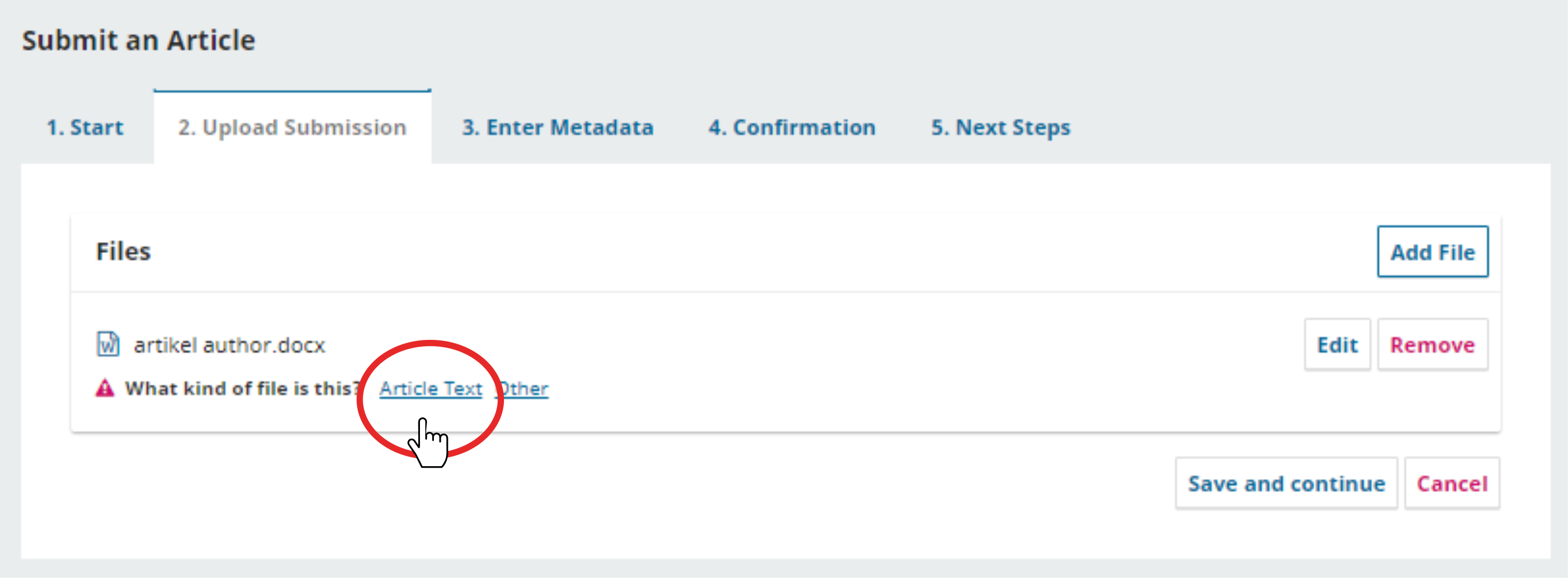
Then click “Save and Continue.”
Next, you will be taken to the third page, which is the metadata entry page. This page contains a form for your manuscript information, including the title, abstract, and references.

After completing all the required fields, click “Save and Continue.”

After that, you will reach the final page the fifth page for “Finish Submission.” You can then return to the “Dashboard” menu to view the status and progress of the manuscript you have submitted.
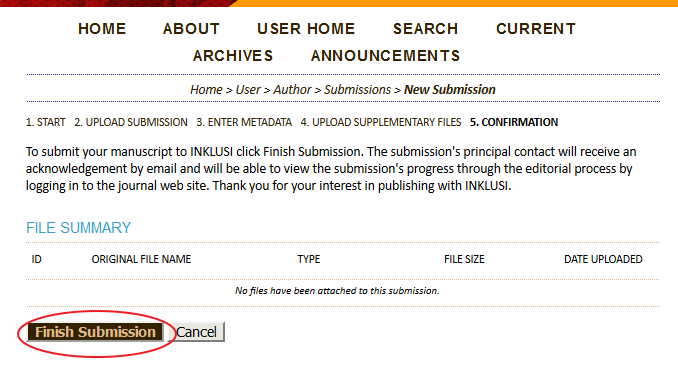
After completing the submission, you can check the status of your manuscript through your OJS account. All further communication with the editor will be conducted via OJS. Please make sure to always click “View” to stay informed about the status and any updates related to your submitted manuscript.